MX Breadcrumbs @ UKG
UKG, 2025
Research GOALS
Users reported feeling lost when interacting with the company’s platform, which slowed task completion and hurt overall experience. To address this, I gathered perspectives from the platform's target audience (U.S. employees) on the two breadcrumb redesigns and updated in-page “Back” button.
Efficiency
Which breadcrumb option is quicker when navigating?
2
3
Friction
What friction points
exist with the in-page
back functionality?
Adoption
Do people understand
& use breadcrumbs?
1
For efficient results, we conducted unmoderated testing with 20 U.S. employees as participants.
Approach
I designed the study using a proven rapid research workflow: first, screening and recruiting participants through UserTesting and then conducting unmoderated testing to observe real user behavior at scale.
Using Dovetail, I analyzed the sessions by tagging and organizing insights to identify patterns.
19 out of 20 participants didn't use the breadcrumbs at all.
problem
This was surprisingly a high number, and we needed to understand why participants were opting for the in-page back button or side navigation menu instead of the breadcrumbs. Understanding whether this was due to navigation preferences, simply not noticing the breadcrumbs, or some other reason would help designers improve the experience and inform the next solution.
The study was adapted mid-way to include more participants and gather deeper insights.
Solution
I added specific instructions to the backtracking tasks, asking participants to avoid certain navigation methods so they would spend more time exploring. Participants who received these instructions were in the "Prompted" group, while those who did not were in the "Unprompted" group.
To allow comparison and maintain consistency, I recruited 20 additional participants, bringing the total to 40 and ensuring fair results.
Users overwhelmingly relied on the in-page back button, rather than the breadcrumbs.
Findings
Keep the in-page back button and redesign breadcrumbs for greater visibility.
recommendations
The power of asking "so what".
TakEaways
Reflecting on this study, I learned the importance of asking “so what” when sharing research insights and recommendations. What does this finding mean? Why did it happen? What should this mean for the designers? A critical part of research is making sure that people beyond the team, the stakeholders, and future members beyond my time at UKG, can understand and rely on these insights for other projects across the company.
Designers needed clarity on which design best supported our users.
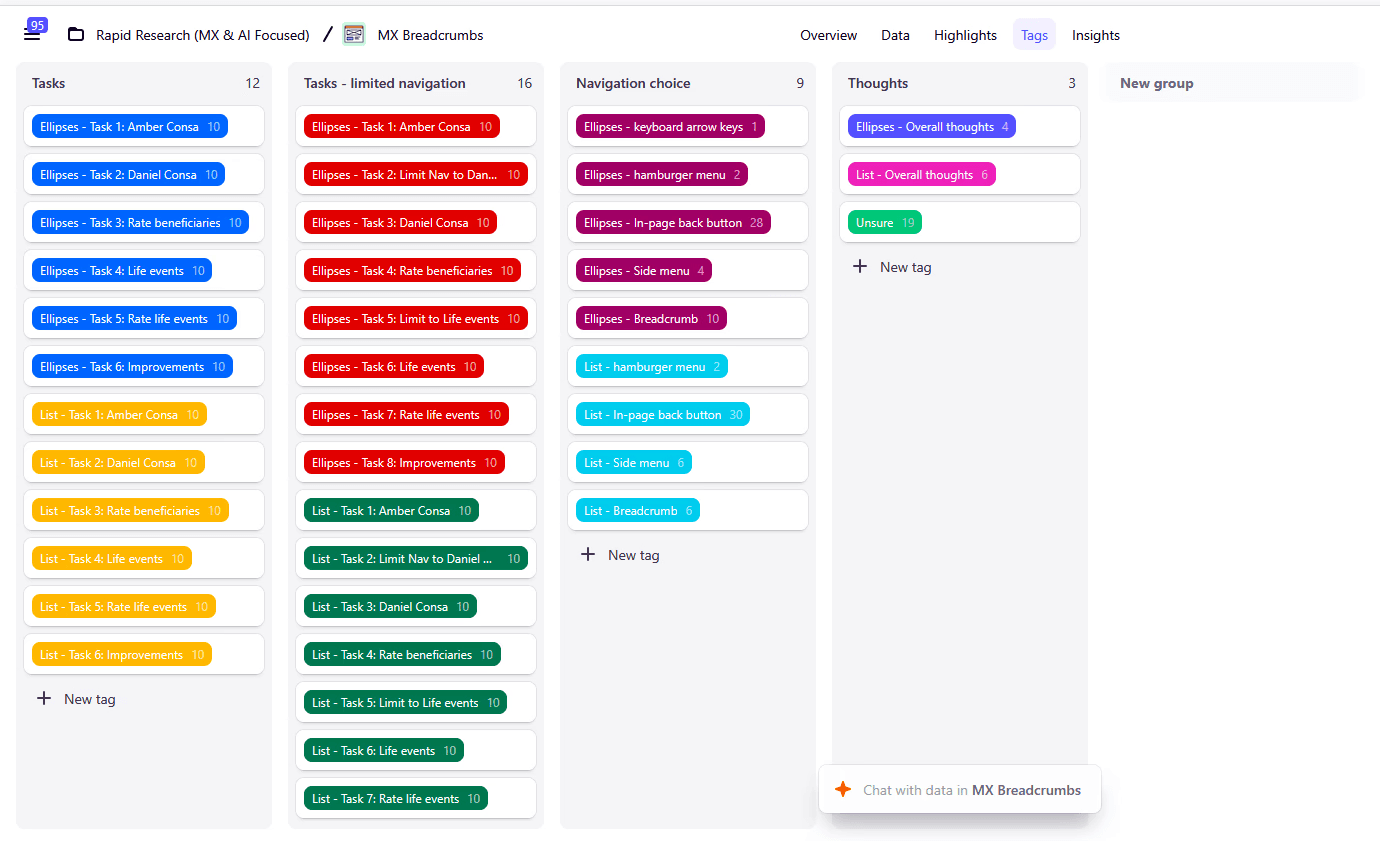
Tags on Dovetail
Based on how participants navigated during testing, keeping the in-page back button would help maintain a smooth experience. Breadcrumbs should be redesigned to be more visible (e.g., more space, larger size, better contrast) so they can better support navigation alongside the back button.
Made with ❤️ by Kelly Dang, 2026



Thanks fur visiting!
U.S. employee participants
List
breadcrumb style
Unprompted
Prompted
Ellipses
breadcrumb style
40
20
10
10
20
Unprompted
Prompted
10
10
U.S. employee participants
List
breadcrumb style
Ellipses
breadcrumb style
20
10
10
Previous plan
Updated plan
Breadcrumbs were largely overlooked
73% participants (29/40) didn't use breadcrumbs (14 Ellipses, 15 List).
Neither breadcrumb style significantly impacted navigation speed.
2
In-page back button was the most preferred method
73% of participants (29/40) used the in-page back button at least once.
45% (18/40) relied on it exclusively.
1
MY ROLE
Planning
Recruitment
Execution
Analysis
Reporting
TEAM
Context
TImeline
Breadcrumbs are UI components that allow people to move through page levels. This work contributed to the company’s Modern Experience (MX) initiative by improving breadcrumbs in UKG platforms.
The Rapid Research program accepts research requests from teams across UKG and completes studies within a short timeframe. I led this study with the support of another researcher.
2 Researchers
2 Designers
1 Product Manager
12 days