overview
The team needed quick evidence to evaluate potential solutions to navigation issues on the company’s platform.
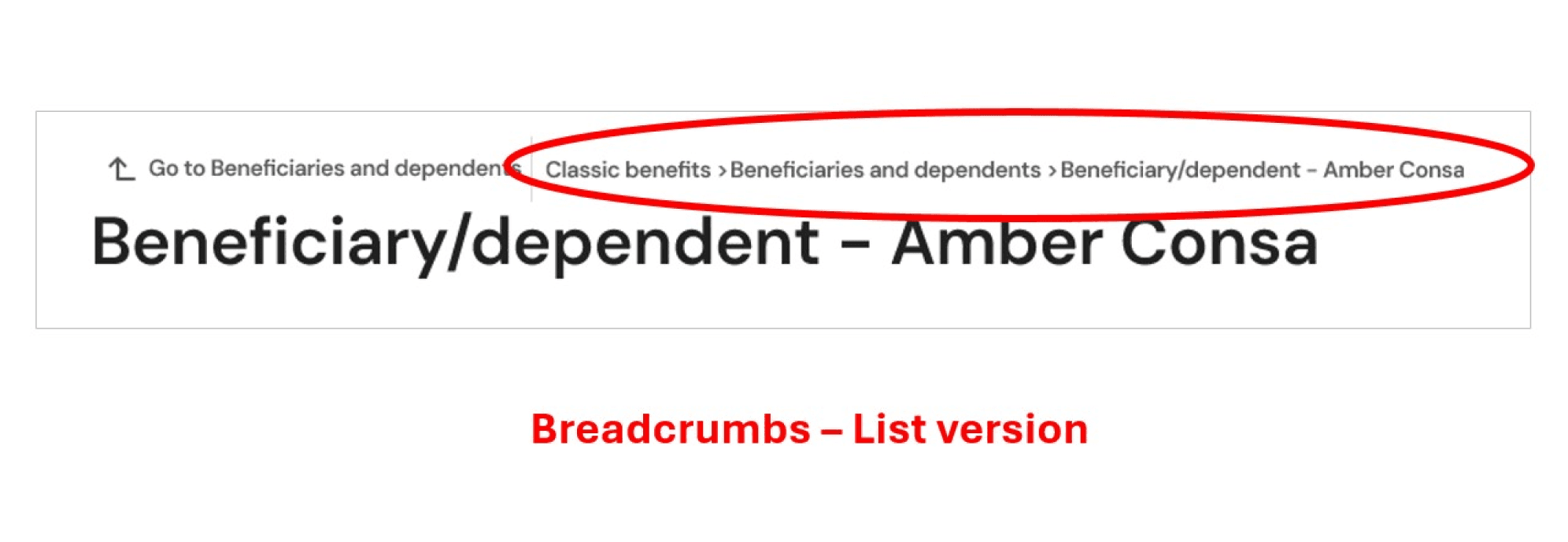
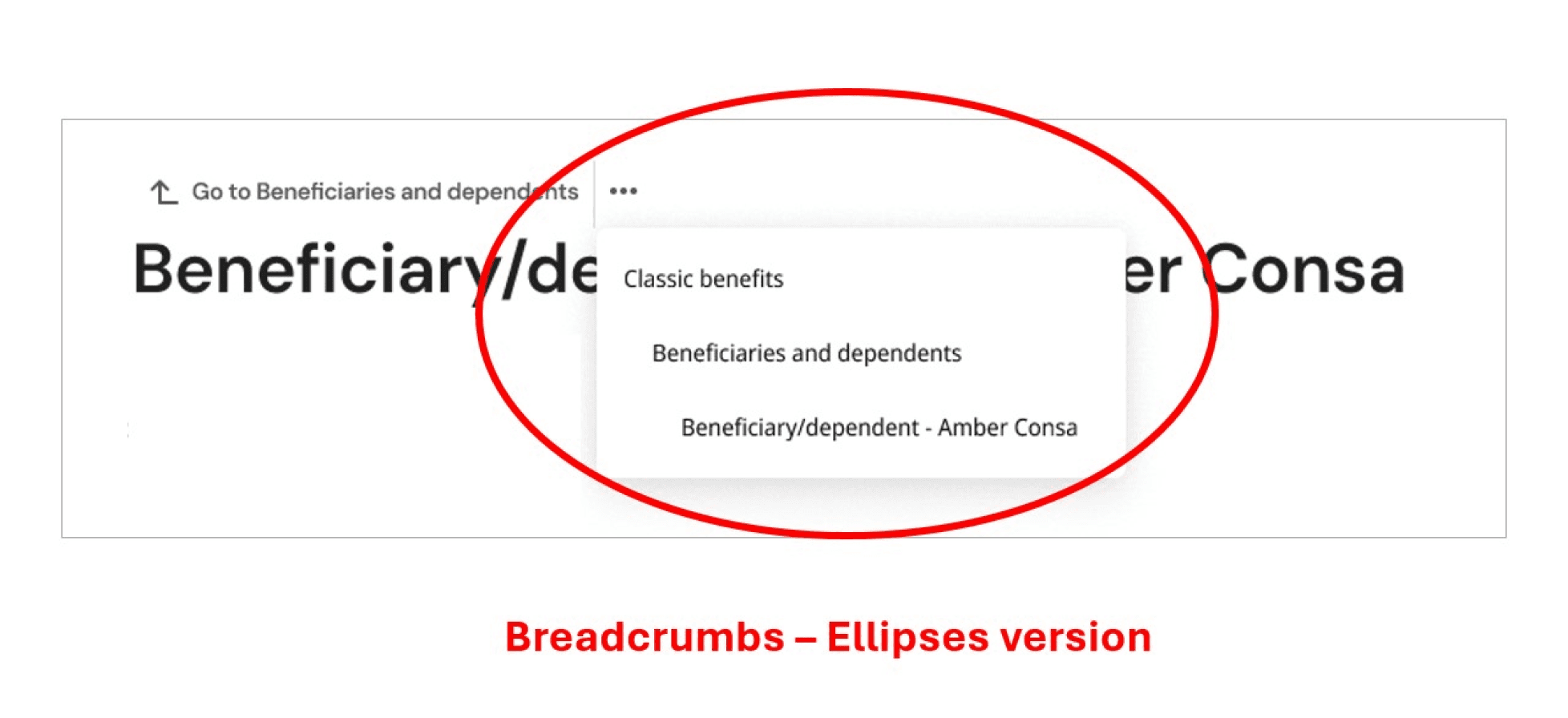
Users reported feeling lost when interacting with the company’s platform, which slowed task completion and hurt overall experience. To address this, the design team proposed two breadcrumb redesigns and an updated in-page “Back” button.
They brought the request to the UX Rapid Research team to quickly validate which solution actually reduced confusion and improved wayfinding. We needed to quickly understand:
Do people understand and use breadcrumbs?
Which breadcrumb option is quicker when navigating?
What friction exists with the current in-page “Back” functionality?
role
I led the execution, analysis, and advocacy of this rapid breadcrumb research study.
With guidance from a UX researcher, I led the research planning, recruiting, and execution of this study, including designing the test tasks and facilitating all unmoderated user sessions.
For analysis and insights, I synthesized findings and surfaced the key takeaways for stakeholders.
I also focused on communicating and advocating, sharing actionable learnings and promoting research-driven decisions to guide the team toward the most intuitive breadcrumb pattern.
Approach
We adapted the study mid-test to uncover how users actually interacted with breadcrumbs.
During testing, we discovered that 19 of 20 participants didn’t use the breadcrumbs at all.
Was it due to navigation preference or because they didn’t notice it? To investigate further, I adjusted the study design by adding more tasks and recruited 20 additional participants, bringing the total to 40.
The plan now includes unprompted and prompted groups for each breadcrumb style (10 participants per group). In prompted sessions, participants were asked to avoid specific navigation methods, like the side menu or back button, to help assess whether participants were intentionally avoiding breadcrumbs. The unprompted sessions didn’t receive these instructions.
Results & Recommendations
Users overwhelmingly relied on the in-page back button, rather than the breadcrumbs.
Testing revealed that the in-page back button was the most preferred navigation method: 29 of 40 participants used it, with 18 relying on it exclusively.
Breadcrumbs were largely overlooked with 29 of 40 (14 Ellipses, 15 List) participants not utilizing them. Neither breadcrumb style significantly impacted navigation speed.
Keep the in-page back button
Redesign breadcrumbs for
greater visibility
This supports users’ preferred navigation behavior and ensures a smooth navigational experience.
Such as adjusting space, size, or contrast, to better support navigation alongside the in-page back button.
Takeaways & Impact
Research guided design decisions and highlighted opportunities
for future exploration.
Our findings guided the design team’s next steps. The in-page back button remained the main navigation method, and a stakeholder will propose the breadcrumb improvements to the design director based on our research. The team also plans to track navigation metrics and user feedback after the changes to inform future iterations.
Reflecting on this study, I learned the value of asking “so what” when sharing research insights and recommendations. What does this finding mean? What action should be taken? Why does it matter? A critical part of research is making sure that people beyond the team and stakeholders can understand and rely on these insights for other projects across the company.
U.S. employee participants
List
breadcrumb style
Unprompted
Prompted
Ellipses
breadcrumb style
40
20
10
10
20
Unprompted
Prompted
10
10
U.S. employee participants
List
breadcrumb style
Ellipses
breadcrumb style
20
10
10
In-page back button
Research Tasks
Create study
6/23-6/25
Launch study
6/25
Analysis
6/27-7/2
Deliver report
7/9
Write report
7/2-7/7
Previous plan
Updated plan
Recommendations
A 12-day rapid research study evaluating two navigation components as part of the Modern Experience (MX) update.
JuNE 2025 - JULY 2025
MX Breadcrumbs

Back to Top ↑
Kelly Dang, UX Research & Design